Learn to bootstrap a yield curve from market data using QuantLib in Python and verify each node against known bond valuations.
You observe a system’s position every second with a noisy GPS sensor, but you need to know both position and velocity for control. You have a physics model (constant velocity) but the measurements are unreliable. How do you recover the true state?
The Kalman Filter answers this question: it estimates a system’s hidden state from noisy measurements, combining a prediction from a dynamic model with a correction from new measurements, weighted by their respective uncertainties.
In this post, we build a complete Kalman Filter from scratch in NumPy, verify it against a known ground-truth trajectory, and show exactly how much uncertainty it reduces compared to raw measurements.
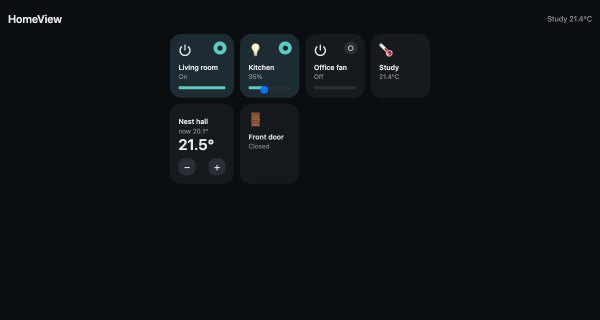
I really like the Apple Home app: dark tiles, a badge that lights up, no thinking about protocols. What I don’t like is being limited to what Apple decides to surface, with the only escape hatch being HomeKit bridges.
Here’s the deal I actually want: the same experience, self-hosted, running on the Mac (or a Raspberry Pi) that already sits on my home network, talking to Home Assistant — which is already the brain of the house.
That turned out to be one Python file, standard library only. This post is a complete, verified walkthrough: every output below is from a real run.
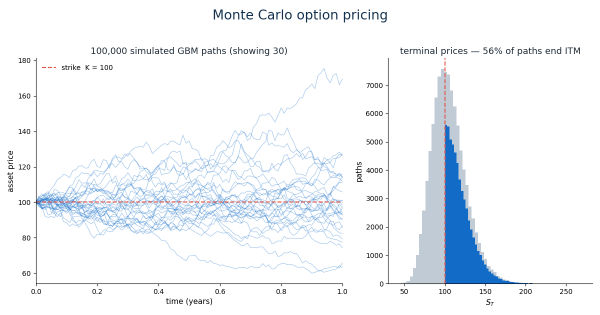
Black-Scholes gives you a closed-form price for a vanilla European option in one line — so why bother simulating? Because the moment an option’s payoff depends on the path (Asian, lookback, barrier) or you add non-linearity (American exercise, Vol surfaces, XVA), the formulas stop existing and Monte Carlo keeps working.
In this post we build a complete Monte Carlo pricer from scratch in NumPy, verify it against Black-Scholes, then extend it to path-dependent payoffs and Greeks. Every number shown comes from a single run with a fixed seed (numpy.random.default_rng(42)) — you should be able to reproduce all of them.
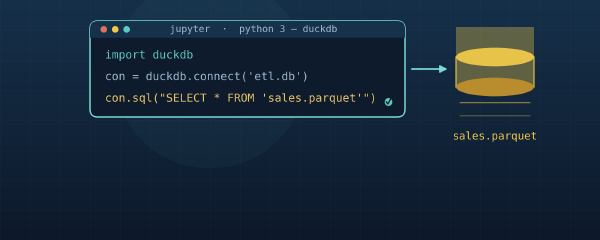
Learn how to leverage DuckDB for efficient data processing in both Jupyter Notebooks and Python scripts with practical examples
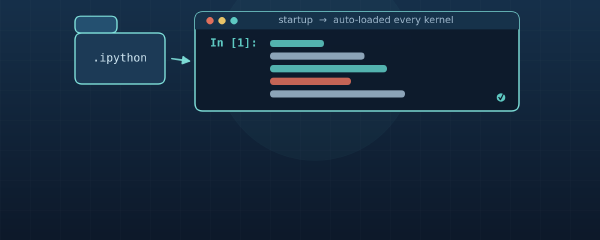
Automatically Load Code in Jupyter Notebooks Using the IPython Startup Folder # If you frequently work with Jupyter notebooks, you’ve probably found yourself writing the same import statements, utility functions, or configuration settings at the beginning of each notebook. This repetitive task can be eliminated by taking advantage of IPython’s startup folder functionality, which allows you to automatically load code every time you start a new notebook.
In this guide, we’ll explore how to set up and use the IPython startup folder in both Windows and Unix-based systems (macOS/Linux).
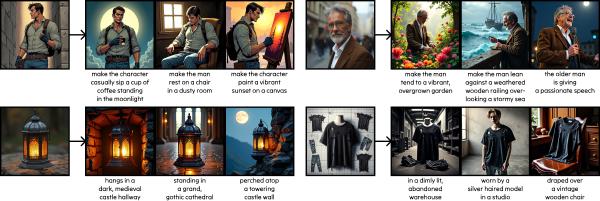
An in-depth look at the diffusion-self-distillation repository, which implements a novel approach for zero-shot customized image generation using diffusion models.
Control your Sphero Mini robot effortlessly with Python using the spherov2 package. Our step-by-step guide and example script make it easy for anyone to get started. Learn how to move your Sphero Mini, change its LED colors, and more!
Interactive Data Tables in Python Using itables # When working with data in Python, displaying your dataframes in an interactive, user-friendly way can dramatically improve your analysis workflow. While pandas provides great functionality for data manipulation, its default display options are static and limited. This is where the itables library shines - it transforms your pandas DataFrames into fully interactive tables with sorting, filtering, and searching capabilities.
In this guide, we’ll explore how to use itables in Python, from basic installation to advanced customization.